
One box between your cameras and everything you wish they could do.
Nexovia is not a camera company. It is the intelligence layer that sits on the network you already built. This page walks the whole path — how a frame gets in, what happens to it, and how it reaches you.
Swipe the diagram to follow the signal path
It finds your cameras before you finish reading the quickstart.
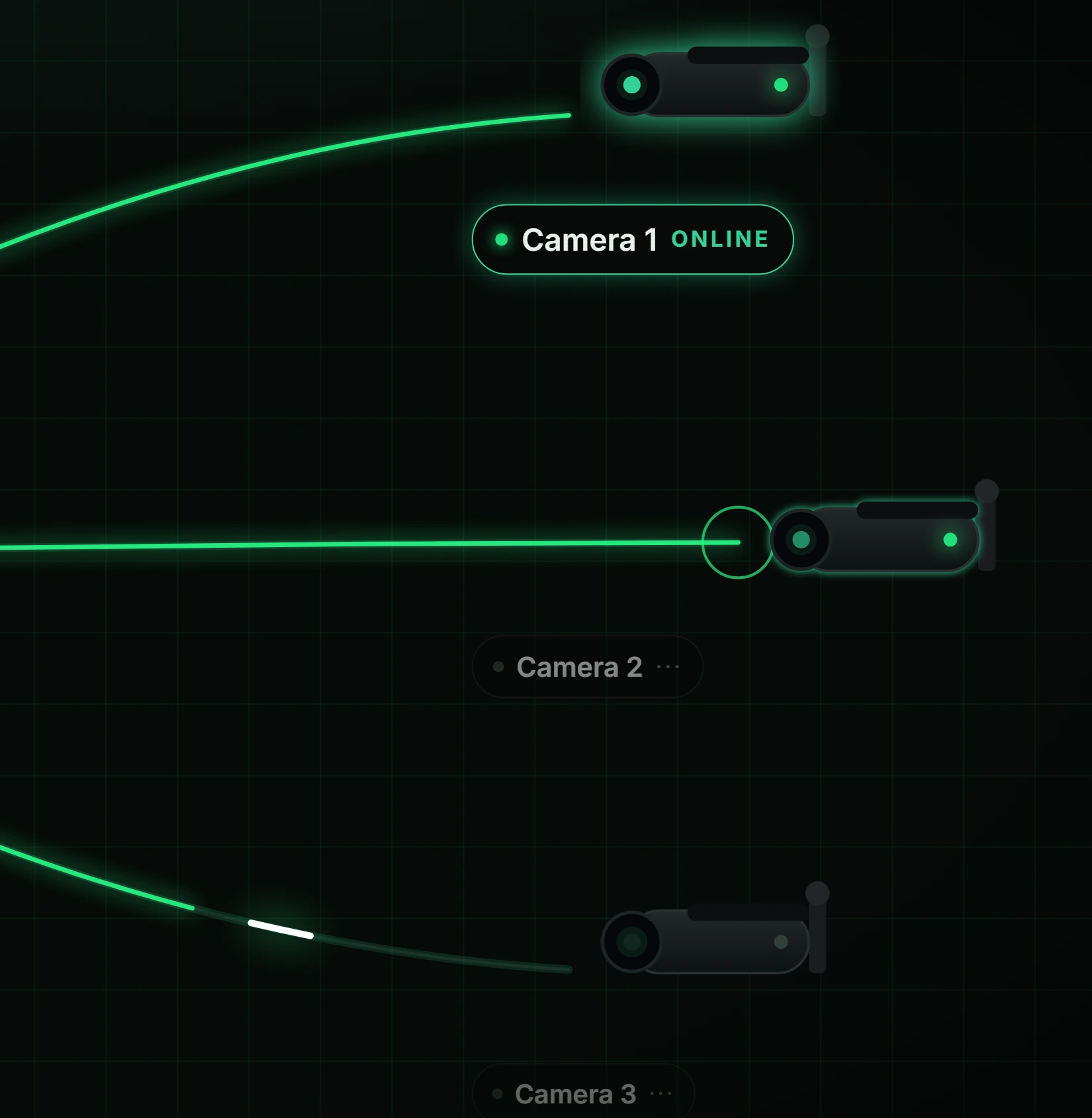
Plug the Hive into a free port on your switch and power it. On boot it sweeps the local subnet for anything answering ONVIF discovery or exposing an RTSP endpoint, and presents you a list. You tick the cameras you want it to watch. Credentials go in once, stay encrypted at rest on the device, and are never transmitted anywhere else.
- ONVIF WS-Discovery plus manual RTSP URL entry for cameras that hide
- H.264 and H.265, main or sub-stream, per camera
- Reads a passive copy — your NVR keeps its own recording untouched
- Reconnect and back-off logic for cameras that drop overnight
- Per-camera frame-rate throttling so one 4K feed cannot starve the rest
The part everyone else does in someone else's data centre.
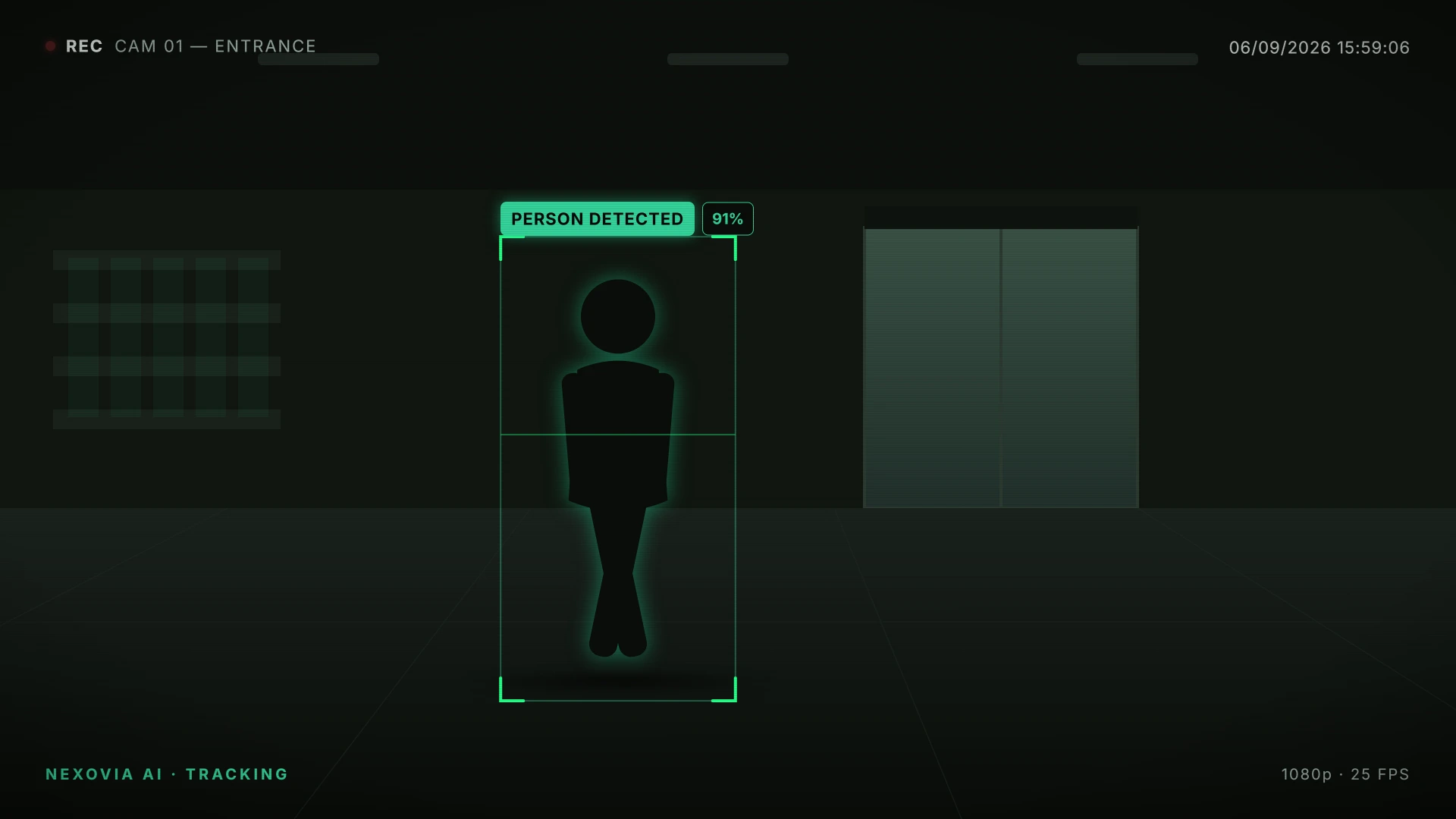
Decoded frames go straight to the GPU on the Hive. Detection, pose estimation, tracking and re-identification all run locally, on hardware sitting in your building. Nothing about understanding your footage requires a round trip to a cloud, which is why the budget stays at 23ms instead of whatever your upload speed happens to be that day.
- Object detection for people, vehicles and the objects that matter per site
- Pose keypoints — the difference between "lying down" and "fell down"
- Multi-object tracking with IDs that survive brief occlusion
- Re-identification to carry a subject between overlapping cameras
- Models are swappable per camera, so a stockroom lens and an aisle lens differ
A detection is not an alert.
This is the layer that decides.
A raw model will happily tell you there is a person in frame nine hundred times an hour. The event engine is what turns that firehose into the four things that actually needed you today — through zones, schedules, dwell thresholds and deduplication.
Zones
Draw polygons on the frame. Behind the counter, the stockroom door, the loading bay. The same person is unremarkable in one and an event in another.
Schedules
Store hours are one ruleset, overnight is another. Presence in the yard at 2pm is a delivery. Presence at 2am is the whole reason you bought this.
Dwell & sequence
Loitering is time. Theft is a sequence. Rules can require a state to hold for N seconds, or require two detections to occur in order before anything fires.
Deduplication
One incident produces one alert, not forty. Events collapse across frames and across cameras that saw the same thing from different angles.
Clip sealing
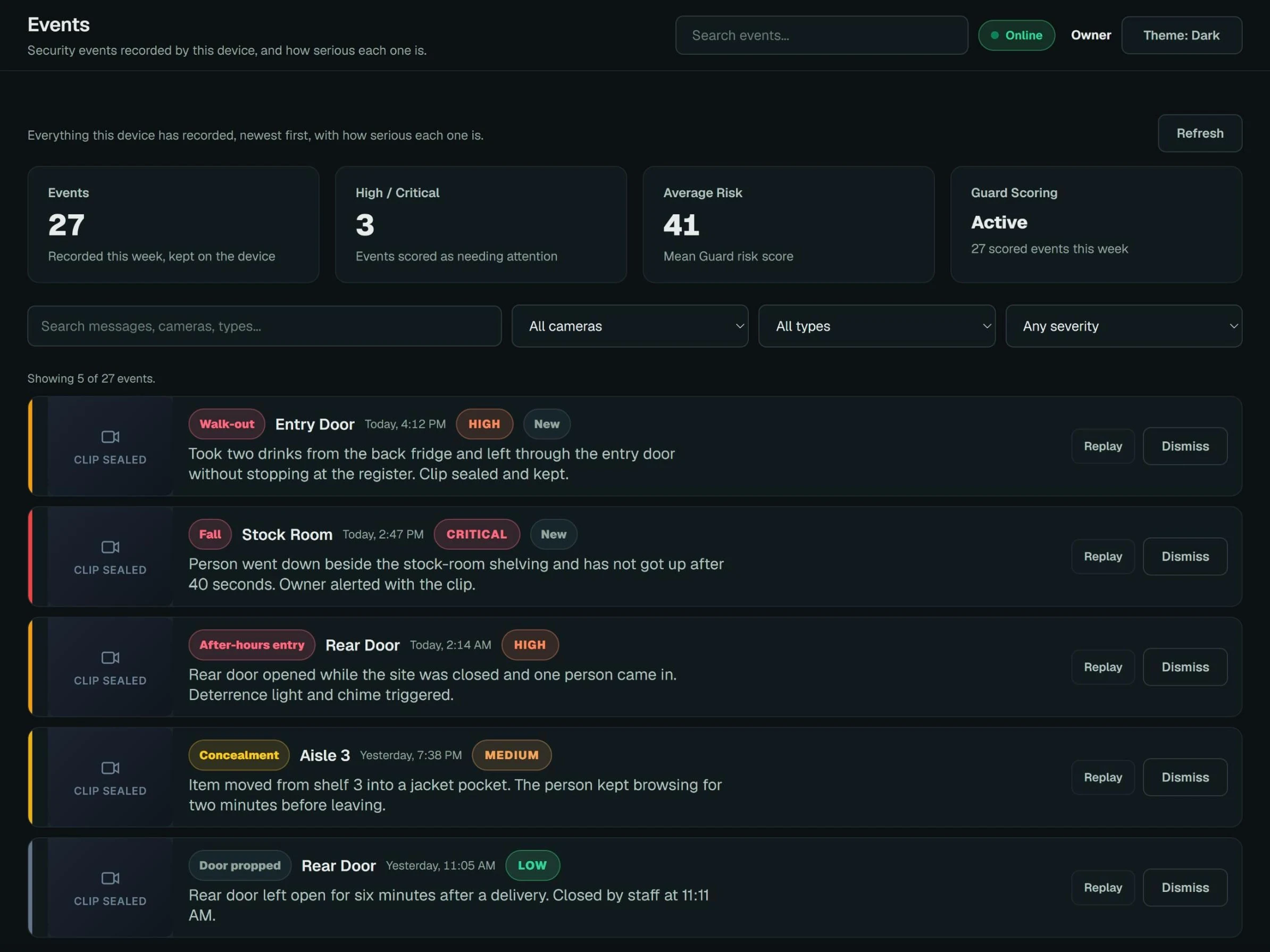
When an event fires, the Hive writes a clip covering the seconds before and after, hashes it, and stores it against an evidence ID so the record is defensible later.
Escalation chain
Who gets told, in what order, and what happens if nobody acknowledges. Push, on-site strobe or speaker, webhook into whatever you already run.
The answer arrives before you go looking for it.
Most security software assumes someone is sitting in front of it. Nexovia assumes nobody is. The alert finds the person on call, on their phone, with the clip already attached and the event already named — so the first decision happens in seconds, not after a drive back to the office.
- Push notification carrying the sealed clip, not just a timestamp to go find
- Live view of any camera on the site, from anywhere
- Acknowledge, resolve or escalate in a single tap, with an audit trail
- Device health: uptime, temperature, CPU, memory, per-camera online state
- Multi-site switching for operators who run more than one location
Sample data shown.
Sample data shown.
Ask it. Don't scrub for it.
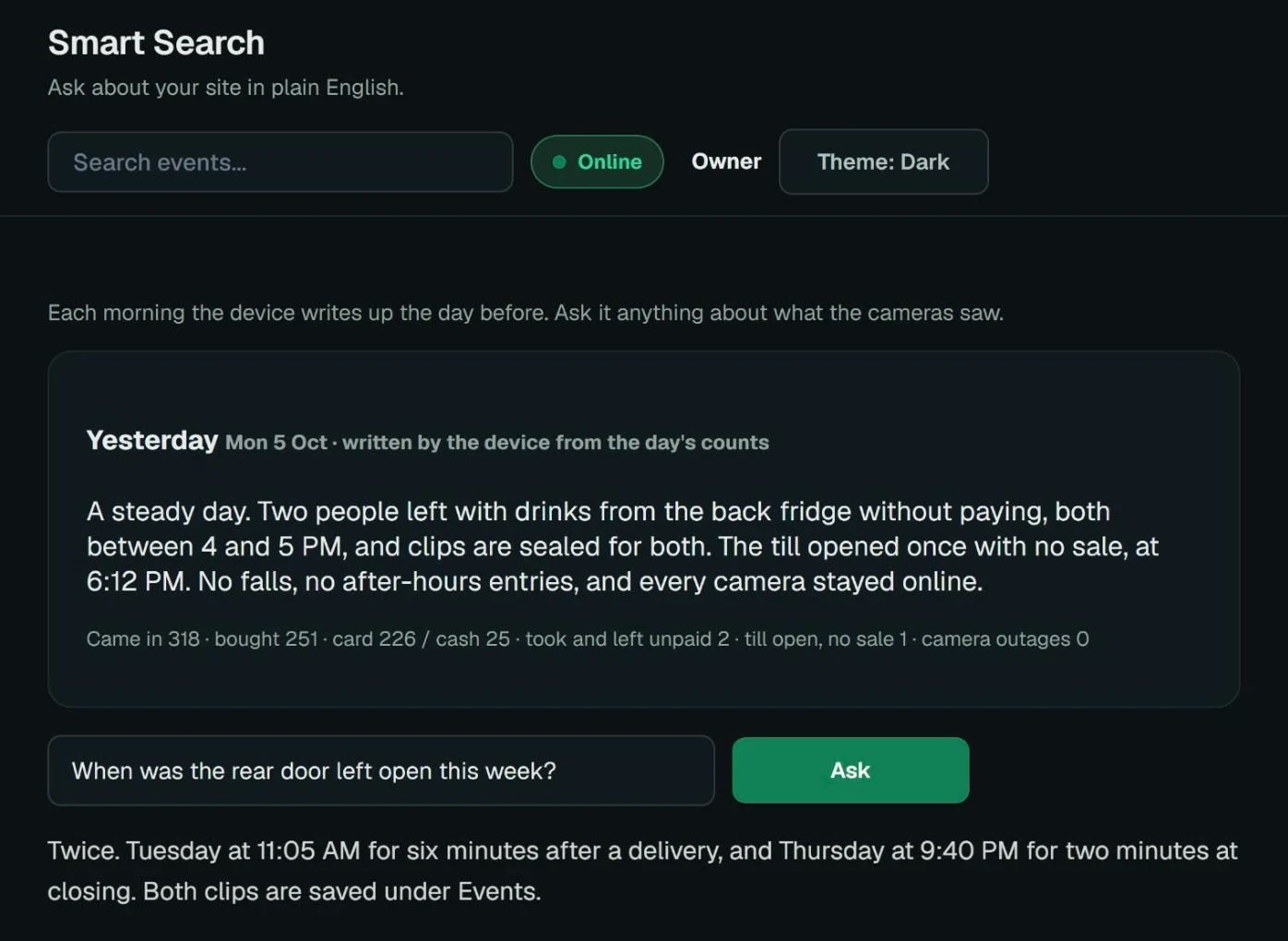
Every detection the Hive makes is logged with what it was, where it was and when. That turns the worst job in security — finding one moment inside a week of footage — into a question. "When was the rear door left open this week?" The console answers in a sentence and points you at the clips, instead of handing you a timeline to drag through.
- A plain-English write-up of yesterday, waiting each morning
- Ask about your site the way you would ask a manager
- Answers point to the sealed clips, not a raw recording offset
- Or describe a person — "red hoodie, aisle three, after four" — and get the candidate clips
- Filter by class, camera, zone and time window together
- Export a single incident, or a stitched cross-camera timeline for one subject
Security cameras that also run the numbers.
The cameras watching for trouble are already watching every door. Nexovia turns that into the numbers you plan around — how many people came through, when, and which hours need more cover. A shop staffs the till, a care home schedules visiting, a yard plans its shifts, a campus sees when a building is actually used.
- People in and out by the hour, against the usual for the same weekday
- Busy hours across the last four weeks, for staffing, shifts and opening times
- A plain-English write-up of yesterday, waiting each morning
- In retail, came in versus bought, hour by hour — the hours shoppers leave without buying
- Counted on the device, like everything else — no footage leaves the site for it
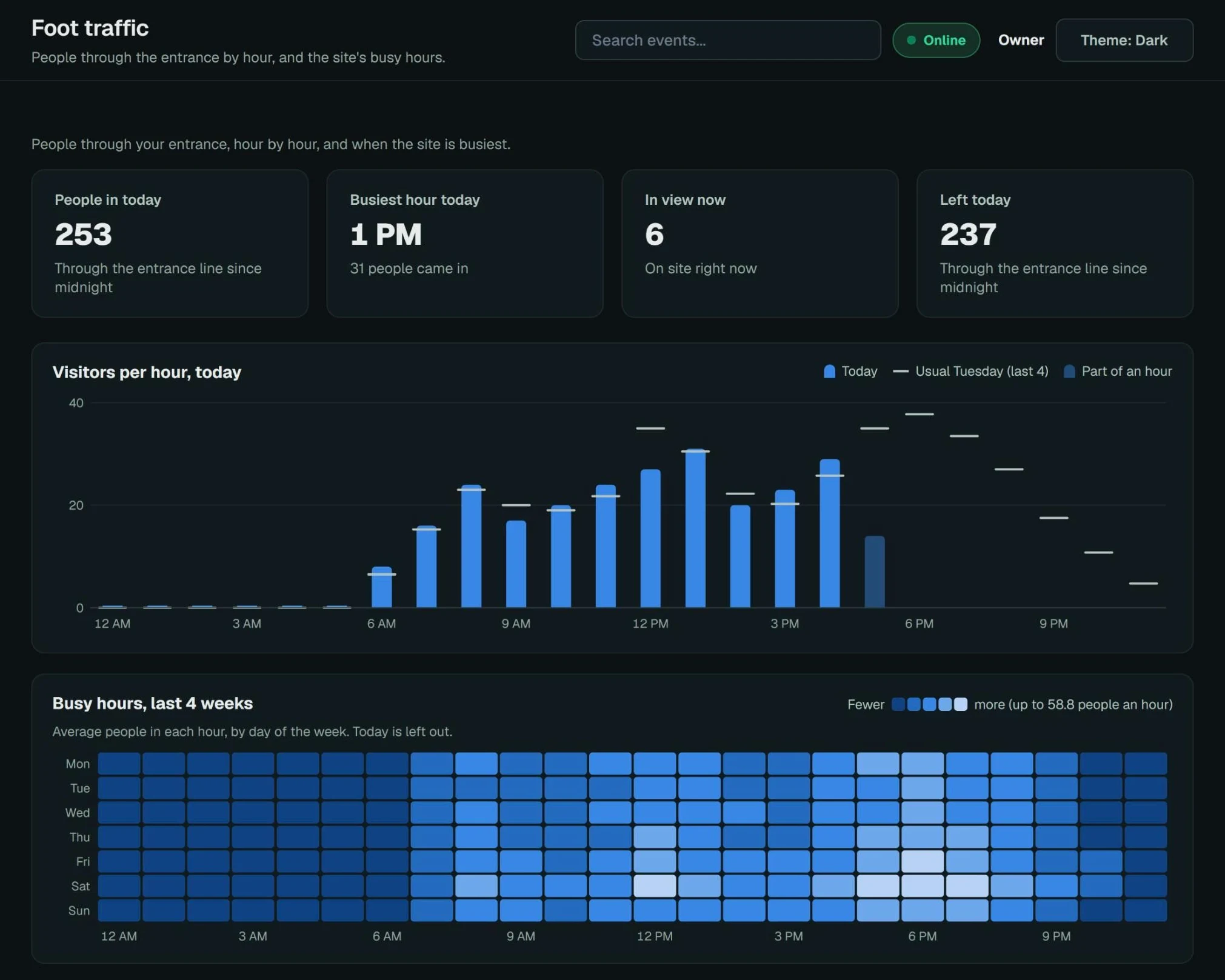
Sample data shown.
The part after the alert.
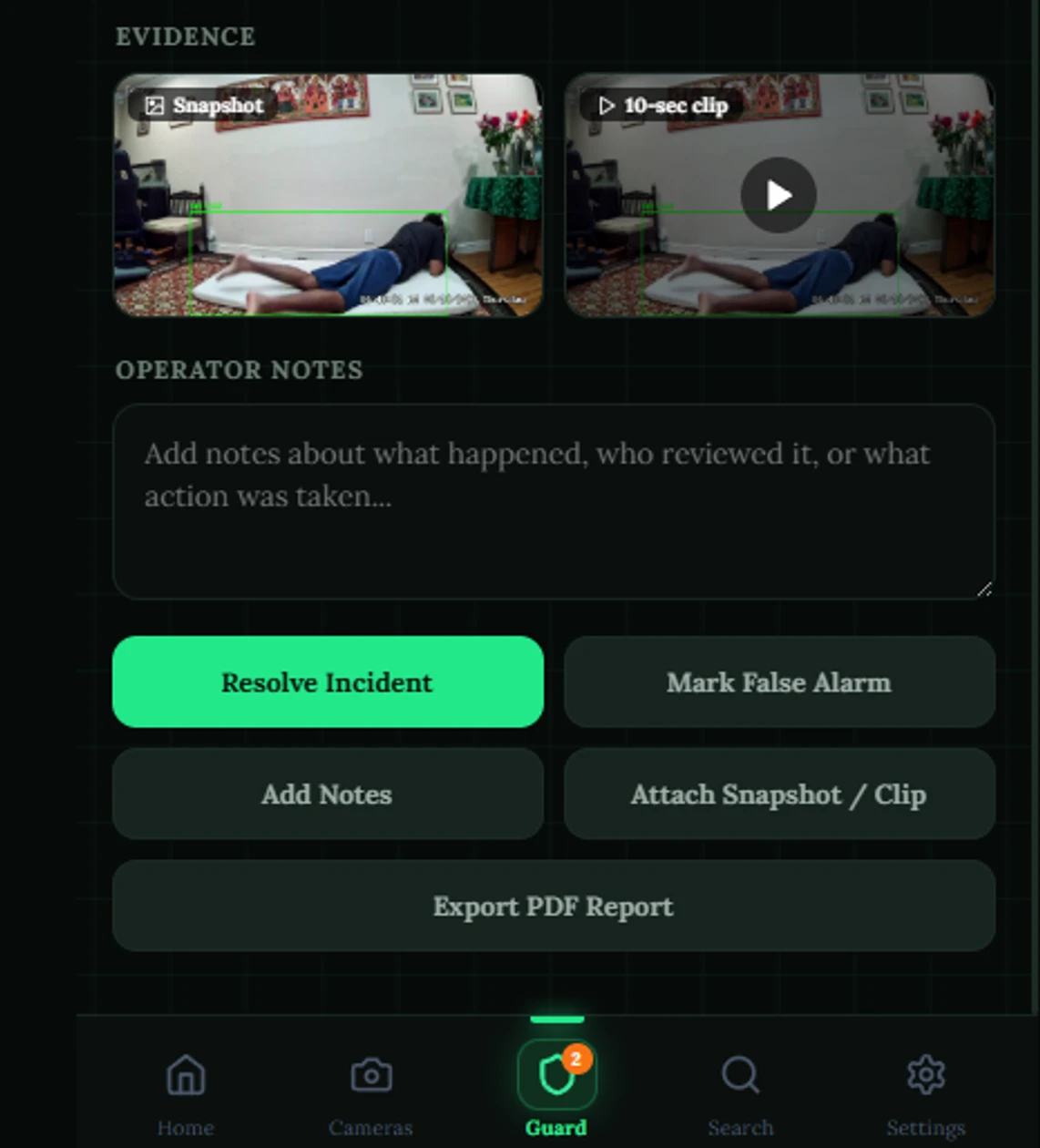
An alert that nobody closes is just another notification. When an event fires, the snapshot and the ten-second clip are already attached — nobody has to go and find them while the incident is still running. From there it takes one tap: resolve it, or mark it a false alarm.
That second button matters more than it looks. The difference between a system people keep switched on and one they mute in week two is whether it listens when it gets something wrong. And when the event was real, the whole incident exports as a PDF — which is the form an insurer or an officer actually asks for, rather than a link to a console they cannot log into.
- Snapshot and ten-second clip captured automatically, before anyone opens the app
- Operator notes on the incident — who reviewed it and what they did
- Resolve, or mark a false alarm and tell the system it was wrong
- Export the incident as a PDF report
Where your footage goes, in plain language.
What going live actually looks like.
We look at your camera list
Make, model, count, resolution and where each one points. That tells us the stream count, which Hive you need, and honestly whether any angle is too poor to be worth promising anything about.
You plug it in
One free port on your existing switch and a power outlet. No re-cabling, no camera work, no touching the NVR, and no specialist required — if you can plug in a router you can do this. It boots and dials out to us.
We configure it remotely
Screen share, your cameras on our side of the tunnel: we draw the zones that matter, set the hours, pick the detection classes per camera, and agree the escalation order for each event type. No engineer on site.
You settle the thresholds
Every site has its own false-positive personality — a reflective floor, a swinging door, a delivery route that looks like an intrusion. Every dwell time, zone and confidence threshold is editable in the console, and support is there if you want a second opinion on a setting.
Model updates without a truck roll
Detection models and firmware update over the tunnel. New classes become available to sites already running without anyone coming back out.
Anything this page didn't answer?
Subnet layout, VLANs, an existing VMS you need it to sit beside — the awkward integration questions are the ones we would rather hear before you buy, not after.